Showing posts with label RPG Maker VX Ace Lite. Show all posts
15 August 2015

Is It Legal To Change The Game.exe Icon?

I came across a question a few weeks ago about the legality of using such software as Resource Hacker to change the Game.exe icon, so I thought I'd answer it.

First of all, according to the EULA:

Licensee shall not reverse engineer, de-compile, or disassemble the Software.

which means, in short, that technically it IS illegal, since you're modifying something that is part of the "Software", i.e. RPG Maker.

With that said, however, you're not actually directly modifying the software itself, only the game's icon for creating shortcuts. And, since there isn't an apparent option for the INI to use an icon, for some developers having a game-exclusive icon is a preference they don't want to be without.

According to Archeia on Steam:

Technically it isn't [legal] and Enterbrain is aware of it. But they're loose about the rule.

In other words, Enterbrain doesn't condone using software to hack Game.exe to change its icon (which is what Resource Hacker does), since that would be a violation of the EULA, but they are tolerant of it provided you're ONLY using it to change the icon - and nothing else - and do NOT directly modify the software itself. This includes anything that comes bundled with the RPG Maker itself, the RTP software, Game.exe, and any accompanying DLLs.

If you're in doubt, don't do it!

Instead, you might be interested in the How to Change the Game.exe Icon Tutorial for alternative methods that don't directly modify or hack Game.exe.
08 May 2013

Resources & Updates

I'll get the updates out of the way first before showcasing some of the resource links I've found. There are only a few of them anyway.

Site Updates

In a previous post I mentioned about migrating a few posts over to RPG Maker Times Companion. These are primarily resources (including scripts and utilities), which will also give me a chance to go through and resolve any missing links. And then, once all of the sections are in place there, I can finally concentrate on the annoyingly redundant top menu. Many of the links will cross-reference RPG Maker Times Companion.

Resources

Here are a few very good resources sites (each opens in a new window/tab for convenience):
  • The Magnum of Noches - This is a very good, resource-rich site. Sadly, however, it was announced that updates to the site have ceased. Many of the resources are still online and ready for use, but make sure you credit the original creators accordingly.
  • Tieris Illia - This site does have quite a number of quality resources and materials, from iconsets to sideview battlers. It's well worth checking out.

  • Blogshin - There are some awesome tiles add-ons on this site, primarily for RMVX/VXA. It's in Portugese, but it's easy to navigate and figure out. Well worth a visit if not to download anything, then just to browse.
06 May 2013

Blog Entries Migration

A number of posts on this blog are being migrated to RPG Maker Times Companion. That way, they can be kept up-to-date and any missing links can also be updated.

All resources will also be transferred, including templates and windowskins.

All of the projects and projects news (past, present and future) now each have their own separate subdomains, so they'll be easier to update as and when necessary. This may eventually include the Q-Engine, depending on how it progresses.

By consolidating certain sections in this way, not only will it be convenient for all, but it'll also be much easier to update. And, of course, the updates will also appear here, on RPG Maker Times.
06 February 2013

Event Commands Tutorial Started

Keep up-to-date with the latest news on
Facebook

Event Commands Tutorial

Now that I have my new graphics card, the Event Commands Tutorial has begun. This is a complete tutorial for the Event Commands for all RPG Makers, including screenshots. Most Event Commands are based on those in RM2K3, but additional notes have been given corresponding to each RPG Maker. Personal notes and examples have also been given where appropriate.

The section is under heavy construction, with a lot of work yet to do on it. I'm starting with the RM2K3 Event Commands and working through RMXP, then RMVX and finally RMVXA (in that order). It'll take a while but progress is steady.

Q-Engine v1.28.23.8

Work on the Q-Engine. The Alternative Status Screen is undergoing a rewrite to clean up some code and fix layout positioning issues.

Once this has been dealt with, then a second demo video and download will be uploaded.

Resources Migration

The final update is that starting the middle of this month, all of the resources (including windowskins) will be uploaded to RPG Maker Times Companion.
09 January 2013

Bank Tutorial Using Events (RM2K3/XP/VX/VXA)

The Bank Tutorial (all versions) is finally online!

According to October 2012's poll, the majority voted for a simple event-based bank system as the next tutorial. So, here it is. Note that this is not a complete step-by-step tutorial, but a rough guide for creating our banking system. Instead, each RPG Maker tutorial can be downloaded and, once installed, can be scrutinised.

23 December 2012

Standing Picture Maker (RMVX/VXA)

Here is a site where you can create a full set of resources for your RMVX/VXA project. It's in Japanese but it's easy to figure out without translation. The site can be found here.

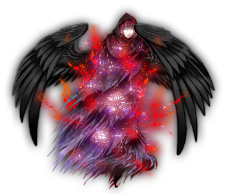
This is an angelic character I created using the online maker.

There are very few actual parts to create a wide range of resources, but you can still create some decent ones. The site also has a lot of different facesets. It's well-worth a visit.
29 November 2012

RMVXA Titles2 Graphics

Here are some Titles2 graphics for RMVXA, along with examples of what they look like. These were created in GIMP as I was experimenting with transparent layers and brushes. They are free to download and use, but please give credit to me, Companion Wulf, somewhere.

Smeared Blood

Gold Celtic Frame

Cage Bars

How To Use

Import the graphics into the Graphics/Titles2 folder from within RMVXA.

In the System tab of the Database, pick and choose the titles combination graphics in the Titles Screen section.
14 October 2012

RPG Maker Lite - Free For All

RPG Maker VX Ace Lite has been released.

This is basically a dumbed down version of RMVXA itself. Quintessentially, it's the same as the Trial version, but without the 30-day limit and with the following additional limitations:

  • 10 heroes
  • 10 classes
  • 126 skills
  • 16 items
  • 60 weapons
  • 60 armours
  • 30 enemies
  • 30 troops
  • 25 states
  • 110 animations
  • 10 common events
  • 6 Tilesets
  • 15 events per map
  • Maximum of 20 maps


Furthermore, there is no call script because, like the Trial version, the Script Editor has been disabled. The Character Generator also does not contain all of the available materials, the same as the Trial version.

This is very useful as an introduction to RMVXA proper and for anyone wanting to learn the ropes before moving onto RMVXA itself. Ultimately, however, it's still a trial version of the program because of the limitations. It's "tryware" because the 30-day limit has been removed (unlike the trial version, where the countdown began from the moment you installed it, regardless if you used it or not). It's also "nagware" because every time RMVXA Lite is loaded it prompts you to continue with the trial or purchase the full product.

I think it's a very good idea that this has been made available because one of my major frustrations when experimenting with the Trial version wasn't the fact that scripts couldn't be edited (they can easily be created in RMVX and ported over into RMVXA), but the fact that I don't have the time to sit for 30 days straight and experiment. 12-hour days usually does that.

So, in conclusion, it's a worthy addition to the ever-increasing RPG Maker family to see how things fit together, even if it is really shareware masquerading as a free "Lite" version!
Related Posts with Thumbnails
Template Design "Perfect World" by SkinCorner